
FREE SHIPPING + FREIGHT INSURANCE (NON BULKY PRODUCTS)
Skip to content
Filters

Hikmicro

Hikmicro Thermal - Your Eyes After Dark

Aussie hunters lose more than light after sunset, they lose opportunities. Hikmicro gives you eyes through night and bush. No more guesswork. Just clean hits.

If you're just dipping your toes into thermal optics, please feel free to give us a call for an obligation free chat about your specific needs (no sales bs - just fair dinkum honest advice).

Or, feel free to check out our blog article on Night Vision vs Thermal Imaging - to learn more about how the tech and how it can bring your hunting experience to a whole new level.

Hikmicro Free Shipping Banner
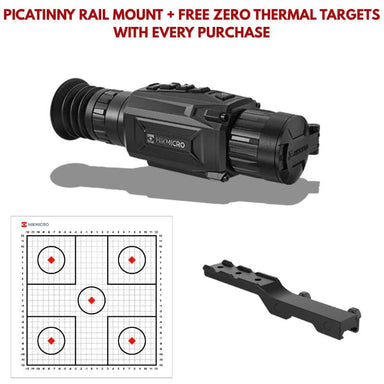
  • hikmicro thunder te25 2.0 with picattiny rail mount included and free mystery gift
    Save $400.00
    Original Price $1,999.00
    Current Price $1,599.00
    HIKMICRO

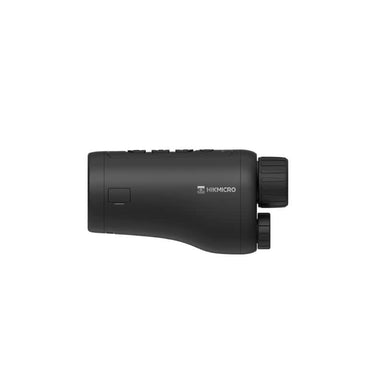
    HIKMICRO Thunder TE25 2.0

    HIKMICRO THUNDER TE25 THERMAL SCOPE – YOUR ULTIMATE SCOPE FOR PRECISION IN THE FIELD BUY NOW AND RECEIVE FREE SHIPPING + A FREE MYSTERY GIFT El...

    View full details
    Original Price $1,999.00
    Current Price $1,599.00
    Save $400.00

Frequently Asked Questions About Hikmicro Australia

Are Hikmicro scopes any good?

Yes, Hikmicro scopes are highly regarded for their performance, especially among Aussie hunters and outdoor professionals. They offer sharp thermal imaging, reliable detection ranges, and rugged construction built to handle harsh environments. Known for excellent value, Hikmicro scopes deliver precision and clarity in low-light and no-light conditions, making them a trusted choice for serious night hunting.

Are Hikmicro thermals waterproof?

Yes—Hikmicro thermal scopes are fully waterproof, with most models (like the Thunder, Panther, Stellar, and others) rated at IP67, meaning they’re protected from dust and can be submerged in up to 1 meter of water for 30 minutes. You can confidently use them in rain, snow, or muddy conditions without worrying about damage.

Where are Hikmicro thermals made?

Yes — Hikmicro thermals are designed, developed, and built in Hangzhou, China, where the company operates a large, advanced in‑house manufacturing facility.

How to update Hikmicro firmware?

To update your Hikmicro thermal device’s firmware, download the appropriate firmware package from Hikmicro’s Support → Download Center → Firmware section on their website. https://www.hikmicrotech.com/en/support/download-center/firmware-download/

What is the warranty on a Hikmicro scope and other optics?

Hikmicro warrants all their thermal, night vision and multi-spectrum products. Click here to learn more https://www.hikmicrotech.com/en/support/limited-warranty/

How long does it take to ship a Hikmicro product?

If the Hikmicro product is in stock it will typically be dispatched from our NSW warehouse within 24-48 hours. Estimated delivery times can be calculated using the auspost calculate postage app https://auspost.com.au/parcels-mail/calculate-postage-delivery-times/#/

How to connect Hikmicro to phone?

To connect your HIKMICRO device to your phone, first download the HIKMICRO Sight app from the App Store or Google Play. Turn on your device’s Wi-Fi hotspot mode (usually found in the settings menu), then go to your phone’s Wi-Fi settings and connect to the HIKMICRO network. Once connected, open the app and select “Add Device” or let it auto-detect the unit to pair. After pairing, you’ll be able to view live images, adjust settings, and transfer photos or videos directly from the device.

How to zero Hikmicro Alpex 4k?

To zero the Hikmicro Alpex 4K, first securely mount the scope and ensure it is properly focused and aligned on your rifle. Bore sight at a close distance (around 25–50 metres) to get on paper, then move out to your preferred zero range (commonly 50 or 100 metres). Enter the device’s zeroing mode in the menu and take a controlled 2–3 shot group while keeping the rifle steady on a rest. Freeze the target image and use the adjustment controls to move the reticle to match the centre of the shot group (point of impact). Save the zero once aligned, then confirm with another group to ensure accuracy. You can also store multiple zero profiles if you plan to use different calibres or distances.